How to Research a Stellar Wave Project on Drips and Submit it to Stellar Wave Hub
Every project on Stellar Wave Hub starts with a little detective work. Drips is the source of truth for who has been approved for the Stellar Wave Program — orgs, repos, funding, the lot — and the best submissions on the Hub all begin there.
This guide walks you through the exact flow we use ourselves: open Drips, find a project worth writing up, validate it against the submission criteria, then push it through to the Hub for review.
⚠ Important: check for duplicates first
Before you start researching a project you've picked, search for it on Stellar Wave Hub to confirm it hasn't already been submitted. Duplicate submissions get rejected at review and you'll have wasted the work — a 30-second search saves you an evening of writing.
Open the Stellar Wave page on Drips
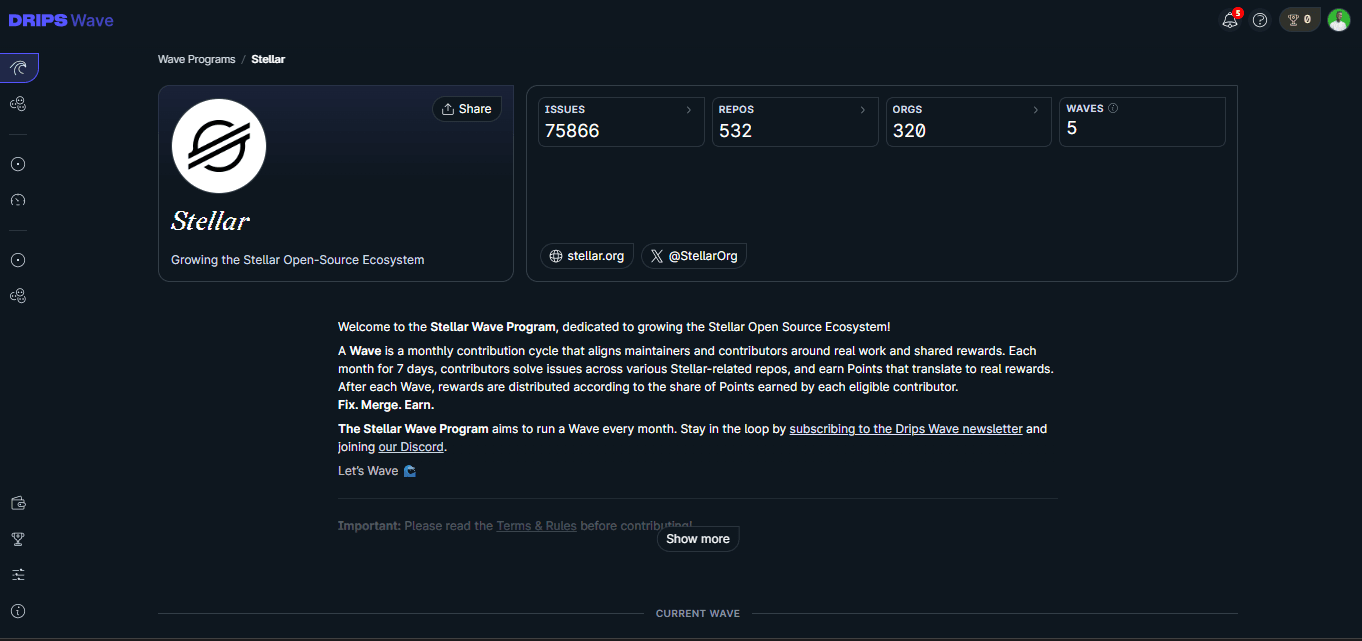
Head over to the Stellar Wave landing page on Drips. This is the canonical list of everything approved for the Stellar Wave Program — if it's not here, it doesn't count.
Open drips.network/wave/stellarPick the Repos or Orgs view
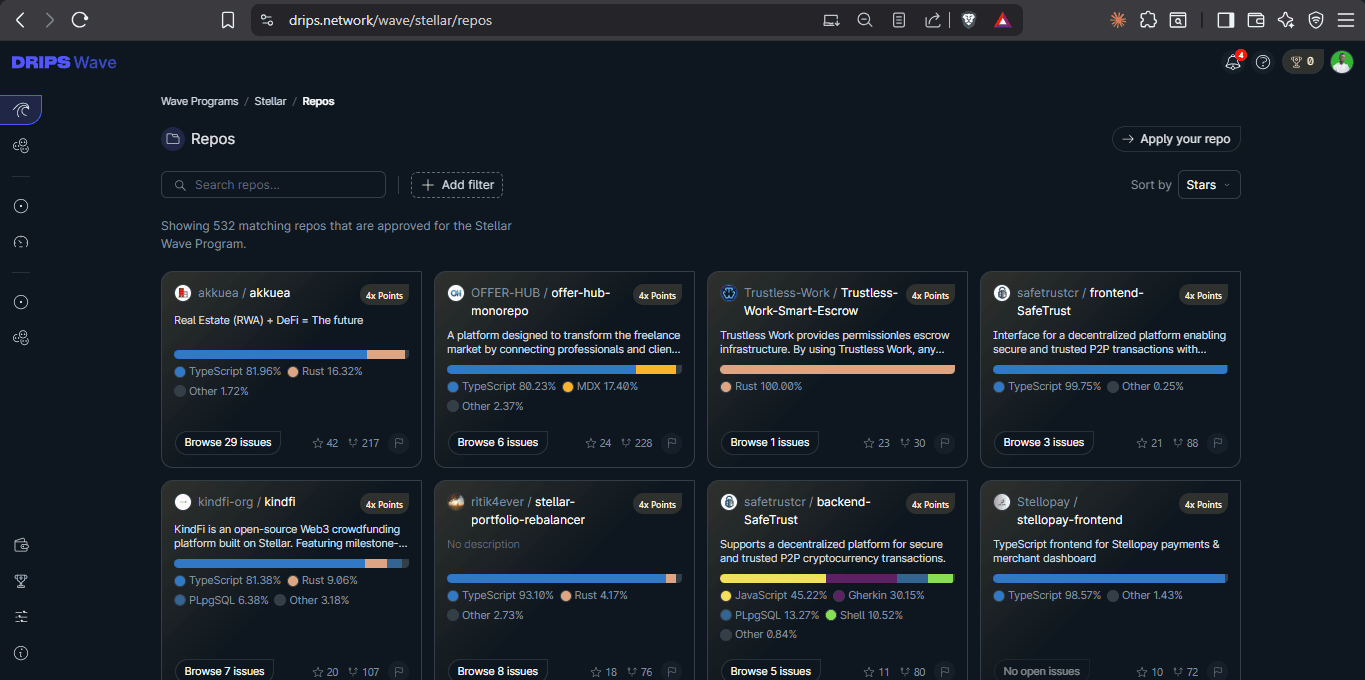
Drips splits Wave participants into Orgs (the teams behind the work) and Repos (individual codebases). Start with whichever angle matches how you like to research — by team or by code.
Tip: the Orgs view tells you how many repos each team owns. Teams with several repos are often building a wider product surface, which gives you more to write about.
Pick a project you actually want to research
Click into an org and browse its repos, or jump straight to the Repos tab. Choose something that excites you — the best Hub entries are written by people who genuinely want to understand the project.
What makes a good pick
Look for a clear README, recent commits, and a problem statement you can explain in one sentence. If you can't summarise what the project does after five minutes, move on.
Work through the Submission Criteria
Open the issue on our repo and treat the Submission Criteria as a checklist. Every field is there for a reason — reviewers reject submissions that skip it. Do your homework now and the submit form takes minutes.
- Project name, one-line description, and category
- Links: GitHub, live demo (if any), website, docs
- Team or org behind the project, plus contributors you can credit
- Tech stack — Soroban, Horizon, SDKs, contracts deployed
- On-chain evidence: contract IDs, transaction hashes, mainnet vs. testnet
- What problem it solves and who the user is
Don't paraphrase the README
Reviewers can read GitHub themselves. The submission earns points when you add context the README doesn't — usage notes, comparable projects, gotchas you found while exploring the code.
Submit on Stellar Wave Hub and wait for review
Head to the Submit page, paste in everything you gathered, and hit submit. Your project lands in the review queue where an admin gives it a final look before it goes live on the Explore page.
Submit a project →You can track the status of your submissions from the My Projects page. Reviewers may comment with edits — respond there and resubmit when you're ready.
That's the whole flow
Drips for discovery, the checklist for rigour, Stellar Wave Hub for permanence. Do that loop a few times and you'll know the Wave ecosystem better than most.
Spotted something we should improve in the flow? Open an issue on the repo — guides like this one evolve with the program.